๐Ÿ”’ Patreon Special

IT Pros: exclusive shows await you on Patreon, focusing on the more challenging aspects of running your practice and working with clients and employees.


195: A Friend Of My Nephew Does Our IT Work

Topics:

-Sam has some follow up (or lack there of) from his sketchy router story on show 194.  He also discusses the perils of working with "a friend's nephew".

-Jerry poses a question to the group about spending long days on-site.

-Joe deals with the frustration of dealing with clients that don't respect your time.

-Sam gets bitten by non-responsive Macs due to a security update not being applied: https://support.apple.com/kb/DL1908?locale=en_US.  The story turns out to be a win for Sam and Addigy.

Take a look at Addigy for yourself and give it a test drive.

-Sierra Tip of the week - A Finder preference to keep Folders on top when sorting by name

-Did you Patreon supporters receive your tattoos?  If not, send us your address to receive them.

-Joe has a snafu when changing the main email address for an Apple ID.  He shares it as a PSA for our listeners.

-Sam shares an odd iCloud Family Sharing story in the hopes that someone out there has some thoughts...

-Not to be outdone, Joe describes a situation where a customer's devices are showing a two factor authentication prompt seemingly random.

193: Uncle Jimmy's Search Bar & Selfie Of Ulysses

Are there any CCP listeners out there that are not a members of the Apple Consultants Network? We would love to hear from you. Tell us your story!

Topics:

Joe gets a juicy emergency support job and shares the details with us.  It brings about a discussion on surcharges and fees.

Friend of the show David Sparks comes up in conversation as the guys kick around details of contract agreements with clients.

The age old MSP & billing discussion gets kicked around, as it does on occasion.  

While on the topic of the MSP model, we all chime in about an incredible product to manage your fleet of Macs, Addigy.  Give it a test drive by visiting http://www.addigy.com/cmd-ctrl-pwr

Sam brings up a "break/fix" client that wants immediate responses but doesn't want the commitment.

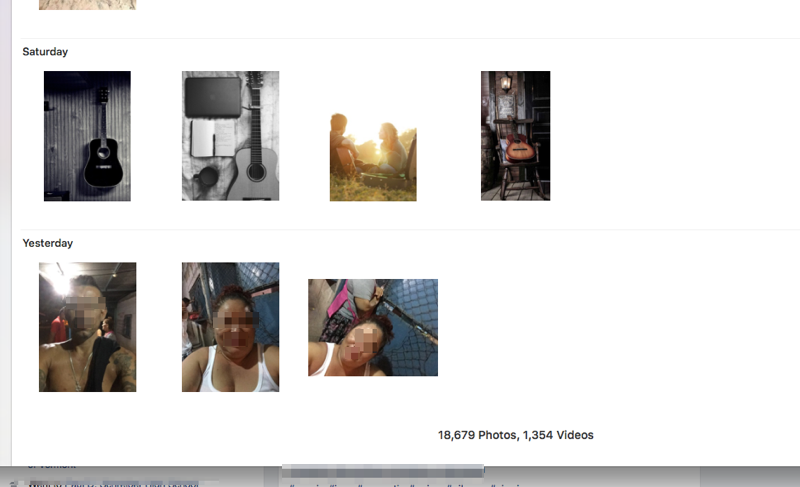
Sam shares an almost unbelievable story of a client that had random photos appear in her Photos library only to find that someone had been signing in to an iPhone using her Apple ID (photo below).

192: Calendar Bankruptcy & Skunky Third Party Memory

- We're sponsored this week by:

Watchman Monitoring, a favorite tool of ours that should be in every professional consultant's toolkit.

You can visit WatchmanMonitoring.com/cmdctrlpwr and sign up for your free trial to find out how Watchman Monitoring can keep an eye on your client machines and notify you of over 100 issues. Be sure to tweet @cmdctrlpwr #CCPsentme to support the show!

TOPICS:

Joe describes his tough day with a client router failing.  PSA: Check your network equipment warranties!

As Joe brings up how great iCloud has been, Sam tells a personal story of woe about syncing issues.  Joe & Jerry offer free consulting advice.

Resetting network settings in iOS resolved an issue for Sam where a user had fiddled with many settings, including which apps operate over cellular.

Joe has some follow up about his fix for removing incompatible extensions in the last show.

A story of another great win for our pals at Watchman Monitoring & Gruntwork!

Sam presents a real head scratcher of a case where an iMac spontaneously kicks the user out of their session and goes back to the login window.  Any suggestions?

Billing and discounts is a common discussion in our world, and Joe recalls some handy tips for showing clients your appreciation.

While on the subject, Sam had a recent need to increase rates for clients and recounts one particular story with a client.

Jerry encounters a situation we have all probably dealt with, when clients attempt to glean as much information from you as possible in an attempt to "do it yourself".

Jerry's client has some challenges working with external displays alongside the new 13" MacBook Pros.

Use the LG UltraFine 4K Display with your MacBook or MacBook Pro
https://support.apple.com/en-us/HT207447

Use the LG UltraFine 5K Display with your Mac
https://support.apple.com/en-us/HT207448


190: Interview With Yochai Gal of the Boston TechCollective

Joe & Sam interview Yochai Gai of the Boston TechCollective, a worker-owned cooperative in the greater Boston area.  After working first independently and then with other organizations, Yochai founded and operated the San Francisco TechCollective in 2006.  In late 2012, he took that idea coast to coast and co-founded the Boston office.

The organizations were formed based on a simple, powerful idea: that tech experts, rather than managers, should be the ones in charge of a tech support enterprise.  Have a listen as we talk to Yochai about the business, structure and technical aspect as well.

https://bostontechcollective.com

188: Interview With Jason Dettbarn / Founder & CEO of Addigy - Cloud Based Mac Management Platform

CCP proudly welcomes Jason Dettbarn, founder & CEO of Addigy, a Cloud Based Mac Management Platform.  Addigy simplifies and streamlines the IT management of your Macs by providing a comprehensive approach to security & management for macOS.

Jason, who obtained his Masters in Computer Science, worked for a few big players like CA and Kaseya before leaving to start Addigy in May of 2014.  Take a listen as we dive in deeper with Jason to learn about why he started Addigy and why it fills a void in RMM (Remote Monitoring & Management) support for the Mac.

Sign up for a free trial with Addigy: https://cmdctrlpwr.addigy.com/signup

184: New MacBook Pro Observations -Be Fun All The Time

- Joe's setup: MacBook Pro USB C connected to OWC USB-C Dock: connected to Gigabit Ethernet and two USB devices (speakers and iPad charger). Also powers MacBook Pro. Includes USB-C port on dock, to which I intended to connect AllSmartLife USB C Type to Mini DisplayPort adapter, but it doesn't work when plugged into the dock (but does work when plugged directly into Mac).

- OWC is accepting pre-orders for OWC Thunderbolt 3 Dock which adds mini DisplayPort built-in, as well as FW800 and digital audio out.

- Joe observes: Touch ID on the new MacBook is great, and perhaps worth the difference in price vs. the "MacBook Escape" but it doesn't seem to know about Standard users. It prompts for Touch ID when system needs admin authentication, even though I run as a Standard user and my admin account isn't yet set up for Touch ID. 1Password integration is great.

- Joe observes: Touch Bar is a bit distracting, but maybe it's based on the way I type. It keeps changing from text formatting to word suggestions because I have a habit of selecting and deselecting blocks of text when I'm typing and editing.

Rocket - Quick launcher for Touch Bar

Thanks for your support โ€“ it keeps us going!

Thanks for your support โ€“ it keeps us going!